I’ll walk you through how sensor fidelity shapes final images and why higher precision matters for pro work.
Every pixel on your sensor stores numeric values that define tone and hue. Those numbers come from the number of bits assigned per channel. More bits mean smoother gradients during heavy color grading.
Standard 8-bit delivers 256 shades per channel, which is fine for everyday viewing. But when I push footage in post, I rely on 10-bit, 12-bit, or 14-bit RAW to avoid banding and preserve image quality across edits.
In this guide I explain the technical trade-offs, show how bits map to pixel data, and help filmmakers choose the right formats for filmic results.
Key Takeaways
- Higher bit depth reduces banding during aggressive grading.
- Each pixel’s channel data determines final tonal range.
- 10-bit, 12-bit, 14-bit RAW offer more latitude than 8-bit.
- I focus on practical choices for better image quality.
- Understanding bits helps you capture filmic, professional footage.
Understanding the Basics of Color Depth and Bit Rate
Think of bits as the granularity that separates one tone from the next in an image. I use that frame when I explain how sensors record subtle shifts in light.
Defining bit depth
Bit depth measures how many distinct values each color channel can hold. An 8-bit per channel RGB signal gives 256 values per channel, which equals 16.7 million possible colors for every pixel.
The importance of color channels
RGB channels carry the primary data that form images on a screen. A fourth channel, the alpha channel, adds transparency and often brings the total to 32-bits per pixel in computer graphics.
- I track bits per channel (bpc) since it shows precision more clearly than total bits per pixel.
- For example, a 3‑bit greyscale image allows only eight values, which is why higher bpc matters for grading.
- Apps like Adobe After Effects let you pick 8, 16, or 32 modes to control image color precision.
How Digital Sensors Capture Color Information
When light hits a photosite, the sensor converts that energy into binary values that define each pixel. I record this process as streams of ones and zeros in a raw file so editors can recover maximum information later.
Each pixel stores per channel values for red, green, and blue. The number of bits used per channel determines the total shades you can edit without visible artifacts.
For example, an 8‑bit file holds 256 values per channel, while a 10‑bit image gives 1,024 values per channel. A 12‑bit capture boosts that to 4,096 values per channel, which massively expands the range of reproducible tones across an image.
“Higher bits mean more graceful pushes in post and fewer limits on grading choices.”
- I show how alpha channel data and the three color channels combine to store complex image information.
- Bits per pixel math explains why 12‑bit video can represent far more distinct colors than standard graphics with 16.7 million combinations.
- More values per channel mean your computer processes larger files but gains the latitude needed for pro workflows.
In short, sensor bit depth is the foundation for how much tonal range your footage holds and how far you can push images in post without losing fidelity.
The Technical Difference Between 10-bit, 12-bit, and 14-bit RAW
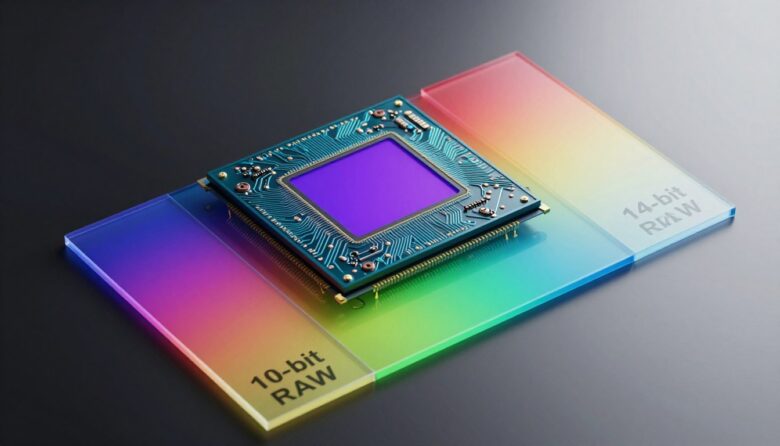
Higher numeric precision in raw files directly expands the tonal steps you can manipulate in post. I’ll walk through what those extra values mean for practical grading and capture choices.
The 10-bit Standard
10-bit captures about 1,024 values per channel, which gives far smoother transitions than standard formats. Cameras like the Panasonic Lumix GH5 can record 10-bit internally up to 30p, making this level accessible for many shooters.
The 12-bit Advantage
12-bit RAW boosts values to roughly 4,096 per channel, preserving more subtle tones and image data. Cinema tools like the Canon C200 and models from Blackmagic, RED, and Arri use 12-bit to maximize dynamic range for serious grading work.
Exploring 14-bit RAW
14-bit RAW stores even more information per pixel, giving the greatest latitude for heavy pushes. This is the choice when every shade and highlight matters in pro work.
- I compare these formats so you can pick the right file for your video project.
- Reference monitors from Dolby handle 12-bit content and serve as a gold standard in pro suites.
Why Higher Bit Depths Prevent Image Artifacts
Low precision in capture files often shows itself as visible banding across smooth gradients.
Banding appears when an image lacks enough numeric steps per channel. You see hard lines in skies or shadows where smooth fades should be. This is common in 8-bit video and in heavily graded footage.
Posterization is related. Large patches lose subtle shifts and break into blocky patterns. It often shows up in out-of-focus areas or soft backgrounds.
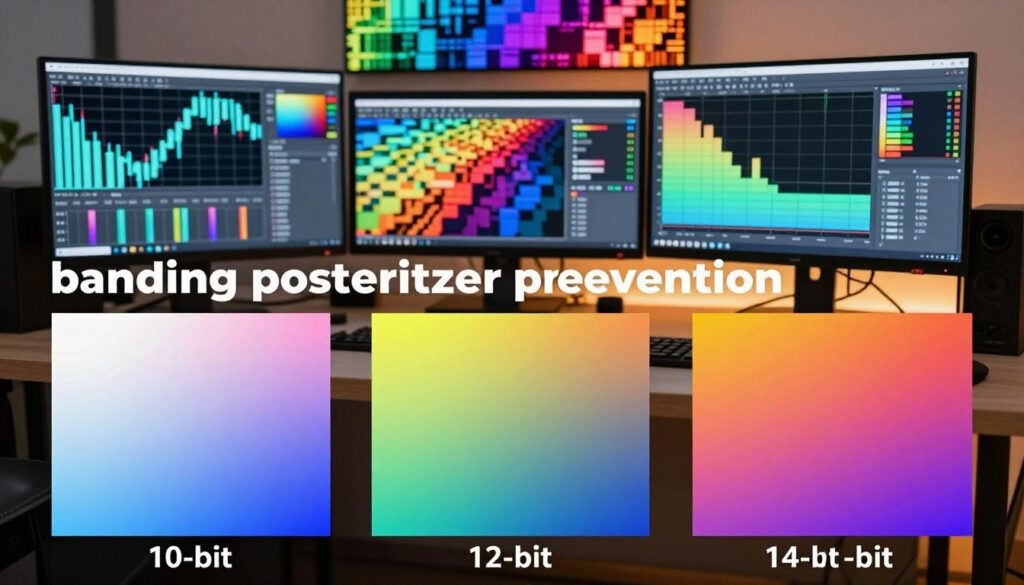
I rely on higher capture precision when I need clean HDR results. For example, HDR video should use at least 10-bit to avoid visible banding. Dolby Vision moves that to 12-bit to future-proof high-contrast work.
| Format | Values per channel | Common artifact risk |
|---|---|---|
| 8-bit | 256 | High banding, posterization in smooth areas |
| 10-bit | 1,024 | Low banding; good for HDR |
| 12-bit | 4,096 | Minimal artifacts; Dolby Vision ready |
Practical tip: textured areas like detailed foliage hide posterization better than low-contrast skies. Choose higher capture precision when you expect heavy grading or visual effects.
“Higher values per channel let your computer render smoother tones and protect final image quality.”
The Role of Bit Depth in Professional Post-Production
In pro post, extra precision in captures gives editors room to rescue blown highlights and pull shadow detail without harm.
I rely on 10‑bit and 12‑bit footage when I need latitude for heavy grading. These files hold more values per channel, which reduces banding and preserves subtle shifts in tone. That extra information matters for final images used in commercial work.
VFX specialists often use 32‑bit per channel Linear Light files to store super‑bright whites. Compositors match exposure for elements like explosions or bright flares so they blend naturally into a scene.
Higher bit depths also help with green screen pulls and complex composites. When you need clean mattes, wider numeric ranges keep edges smooth and maintain realistic colors across layers.
“The extra information in higher captures lets you push grades without degrading the image.”
- I explain how higher bits per sample give colorists more room to adjust contrasts and hues.
- Recovering detail from highlights or deep shadows becomes practical with higher precision files.
- Banding drops dramatically when you work with greater tonal range, which protects final content quality.
| Workflow | Common Precision | Main Benefit |
|---|---|---|
| Color grading | 10‑bit / 12‑bit | More tonal steps; safer pushes |
| VFX compositing | 32‑bit per channel | Handles extreme exposure; clean blends |
| HDR mastering | 12‑bit+ | Reduced banding; accurate highlights |
Balancing File Size and Image Quality
Choosing higher precision captures forces a trade between storage needs and final results. I weigh how much extra information a file holds against the cost of handling larger files during edit.
A 10‑bit video file is roughly 20 percent larger than an equivalent 8‑bit file yet delivers four times as many levels per channel. That jump reduces visible banding and gives more room to fix exposure in tough areas.
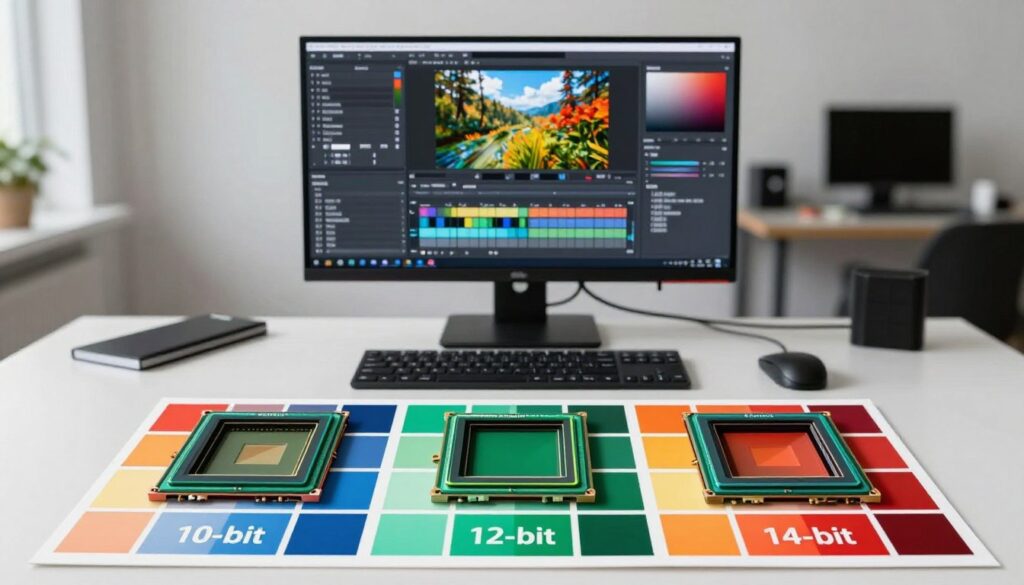
My rule is practical: for quick deliverables I use standard files that keep file size low. For high-end work I opt for 10‑bit or 12‑bit captures despite the extra storage and processing demands.
- Storage impact: larger files need fast drives and archive planning.
- Editing impact: more data slows timelines unless hardware is scaled up.
- Final quality: higher precision protects images from banding during heavy grading.
“Assess the project’s delivery needs, available storage, and the amount of grading you expect before choosing a format.”
Remember, the human eye perceives about 10 million colors, so 24‑bit final files often suffice. Still, I pick higher captures when client standards demand extra latitude in post.
Hardware Considerations for High Bit Depth Workflows
If your computer and monitor can’t handle wider ranges, extra capture precision stays hidden during editing. I often see teams shoot higher fidelity files only to preview them on 8‑bit screens and miss the benefits.
Check your playback chain: most consumer monitors are 8‑bit. 10‑bit displays exist, but they cost more. True 12‑bit panels live in high‑end grading suites.
Your graphics card matters. Many GPUs output a 10‑bit signal only with special drivers or video pipelines. For reliable preview, editors use dedicated video IO devices to feed a reference monitor.
External recorders can free cameras from internal limits. I use them to capture 10‑bit files when in‑body recording stays at 8‑bit. This step preserves more image data for heavy grading and effects work.
- System performance: fast storage and a strong GPU prevent stalls when handling larger file size.
- Preview accuracy: a reference monitor that supports higher levels avoids false banding on screen.
- Workflow tools: external IO and recorders bridge camera limits and studio needs.
“Investing in the right hardware ensures your work displays the full range you captured.”
| Component | Common Setup | Why it matters |
|---|---|---|
| Monitor | 8‑bit consumer / 10‑bit prosumer | Accurate preview prevents grading errors |
| GPU / Video IO | Standard GPU + dedicated output card | Delivers proper signal to reference screens |
| External Recorder | Recorder captures 10‑bit HDMI/SDI | Bypasses internal camera limits for better files |
| Storage | NVMe / RAID arrays | Handles larger files and sustained throughput |
Final Thoughts on Choosing the Right Bit Depth
, Your choice of numeric precision directly affects final image flexibility. I weigh project needs, delivery format, and available tools before I pick a capture setting.
I show how higher bits per channel reduce banding while preserving subtle color and tonal range. That tradeoff links storage, processing time, and final visual quality when you edit images or files.
For web content, 8‑bit often suffices. For professional work, choose 10‑bit or 12‑bit captures to keep more colors and preserve highlights during grading.
Final note: consider the delivery platform, your workflow limits, and the file sizes you can handle. My goal is to help you pick the right bit depth so your images hold up and your content looks professional.
FAQ
What does sensor color depth mean and why should I care?
I see sensor color depth as the number of discrete tonal steps a camera can record per channel. Higher values give more shades and smoother gradients, which helps avoid banding in skies and smooth surfaces. For photographers and videographers working in post, higher steps preserve more information for grading, compositing, and retouching.
How do 10-bit, 12-bit, and 14-bit RAW differ in practical terms?
The main difference is the quantity of tonal values per channel. Ten-bit files store fewer levels than 12-bit, and 14-bit stores the most. That extra headroom matters when you push exposure, recover shadow detail, or perform heavy color grading. It also affects final file size and workflow demands.
Will higher bits always make my images look better straight from camera?
Not always. Higher bits preserve more information, but visible improvement depends on the scene, exposure, and editing. For simple snaps posted straight to social media, you might not notice a change. For editing, printing large images, or working with fine tonal transitions, higher bits make a clear difference.
How does per channel storage relate to bits per pixel and final file size?
Bits per channel multiply across the three color channels (and any alpha channel), so higher bit per channel means larger file sizes. A 14-bit RAW takes more storage than 12-bit or 10-bit. That affects disk space, transfer times, and backup needs, so I balance quality with practical storage limits.
What is banding and how do higher bit counts help prevent it?
Banding appears as visible steps in what should be smooth gradients. With more tonal steps available, posterization reduces because transitions are finer. Using higher bit files keeps gradients smooth through heavy edits, lowering the risk of banding in skies, vignettes, and other subtle areas.
Do my lenses or sensors impact bit depth benefits?
Yes. Sensor dynamic range, microlens design, and color filter arrays determine how much useful information the sensor captures. A high bit depth helps only if the sensor and optics deliver real detail and tonal range. Otherwise, extra bits can become redundant data without visible gains.
How does bit depth affect HDR and compositing work?
I rely on higher bit files for HDR and composites because they retain highlight and shadow detail. When you merge exposures or apply heavy grades, more tonal values per channel reduce artifacts and preserve natural transitions between merged areas.
Are there trade-offs in workflow when using 14-bit RAW versus 12-bit or 10-bit?
Definitely. Higher bit files demand more processing power, larger storage, and longer transfer times. They can slow tethering or continuous shooting buffers. I choose higher bits for critical shoots and lower bits when speed and capacity matter more.
Which cameras and codecs support higher bit depths for photo and video?
Many professional cameras from Canon, Nikon, Sony, Panasonic, and RED offer 12-bit or 14-bit RAW stills and higher bit video options through codecs like ProRes RAW, CinemaDNG, and manufacturer RAW formats. For video, I also look at internal recorder support and HDMI/SDI raw output compatibility.
How should I store and archive high bit depth files to avoid data loss?
I keep multiple backups: a fast local drive for active projects and redundant long-term storage like NAS or cold cloud archives. Use checksums and verified transfers, and maintain a cataloging system so large files remain manageable over time.
Can I simulate higher bit depth in post if my files are lower bit?
You can reduce visible artifacts with careful noise reduction, gradient tools, and subtle dithering, but you can’t recreate missing original tonal information. Simulations help in a pinch, but they don’t equal true higher-bit captures for heavy edits.
When should I choose 10-bit over 12-bit or 14-bit?
I pick 10-bit for projects prioritizing smaller files and faster workflows, especially in controlled lighting or when minimal grading is planned. For delivery formats or displays that support limited ranges, 10-bit often strikes a good balance between quality and efficiency.
How do higher steps per pixel affect color grading and broadcast delivery?
More tonal steps give finer control during grading, reducing posterization when making aggressive adjustments. For broadcast, using higher bit media ensures better headroom for color transforms and keeps conversion artifacts low when delivering to various standards and screens.
What should I consider for hardware when working with large, high-bit files?
Invest in a fast CPU, ample RAM, and SSDs for scratch and cache. A capable GPU helps in many editors for real-time playback. Also check card readers and camera interfaces to match the higher bit transfer speeds; otherwise, bottlenecks negate the benefits.
Do higher bit depths affect final image display on standard monitors?
Most consumer monitors show 8-bit or 10-bit output, so not all tonal steps are visible on-screen. However, retaining higher bits matters for edits, prints, and future-proofing. When delivering to wide-gamut or HDR displays, higher bit sources give clear advantages.
How do I balance file size and image quality for client delivery?
I assess the project needs: choose higher bit captures for important shoots requiring heavy retouch or grading, and use compressed or lower-bit exports for quick client previews. Final deliverables depend on client specs, viewing conditions, and distribution channels.
Are RAW formats the only way to get higher tonal precision?
RAW is the typical path because it stores sensor data before heavy camera processing. Some high-quality codecs and formats like ProRes 10-bit/12-bit or TIFF can also retain significant precision, but RAW usually offers the most flexibility for extreme edits.
How do I test if higher bit files improve my results?
I shoot the same scene at different bit settings and push exposure and color in post. Compare gradients, shadow recovery, and banding. That hands-on test shows whether the increased bit steps yield meaningful differences for your gear and workflow.

Ryan Mercer is a camera sensor specialist and imaging technology researcher with a deep focus on CMOS and next-generation sensor design. He translates complex technical concepts into clear, practical insights, helping readers understand how sensor performance impacts image quality, dynamic range, and low-light capabilities.